
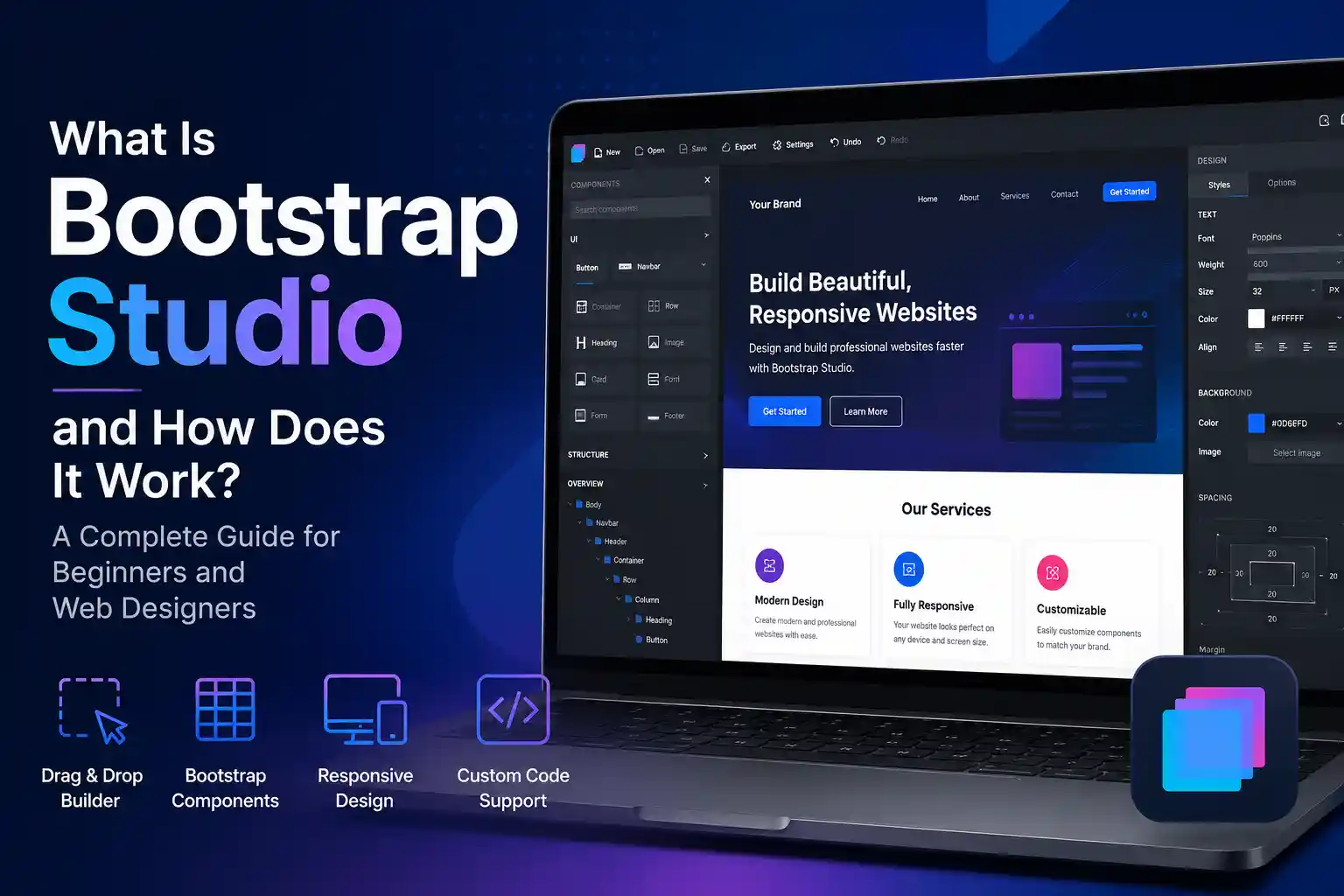
What Is Bootstrap Studio and How Does It Work?
Building a modern website normally requires knowledge of HTML, CSS, JavaScript, responsive design, and front-end frameworks. Bootstrap Studio simplifies this process by combining visual website-building tools with the power of the Bootstrap framework.
The application allows beginners, web designers, freelancers, and developers to create responsive websites through a drag-and-drop interface. At the same time, it provides professional features for adding custom CSS, JavaScript, HTML, and third-party resources.
In this guide, you will learn what Bootstrap Studio is, how it works, its main features, its advantages and limitations, and whether it is suitable for your next website project.
What Is Bootstrap Studio?
Bootstrap Studio is a desktop web design and development application for creating responsive websites with the Bootstrap framework. Instead of manually writing every element of a webpage, users can drag prebuilt components onto a visual canvas and customize them.
The software is based on Bootstrap, a widely used front-end framework for developing responsive and mobile-first websites. Bootstrap provides a responsive grid system, utility classes, interface components, and JavaScript functionality.
Bootstrap Studio makes these features easier to use by presenting them through a visual workspace.
It is important to understand that Bootstrap and Bootstrap Studio are not the same product. Bootstrap is the underlying HTML, CSS, and JavaScript framework. Bootstrap Studio is a separate visual application that helps users create websites using that framework.
Bootstrap Studio is particularly useful for creating:
- Business websites
- Landing pages
- Personal portfolios
- Product pages
- Website prototypes
- Marketing pages
- Front-end dashboards
- Static multipage websites

How Does Bootstrap Studio Work?
Bootstrap Studio uses a component-based website design system. Users create pages by adding and arranging components such as containers, rows, columns, headings, images, buttons, forms, navigation bars, and cards.
When starting a new project, you can choose a supported version of Bootstrap. The application can also help users upgrade projects from an older supported Bootstrap version to a newer one.
The main website-building area is called the Stage. This is where you can see the webpage, edit its content, and arrange components.
Bootstrap Studio also includes an Overview panel that displays the structure of the page. Elements can be selected, moved, reordered, or nested within other components.
For example, you could create a website section by:
- Adding a container to the page.
- Placing a row inside the container.
- Dividing the row into multiple columns.
- Adding text, images, or buttons to each column.
- Adjusting the layout for mobile and desktop screens.
Bootstrap Studio generates the necessary Bootstrap structure and HTML markup while you work.
Building Websites with Components
Components are the main building blocks of a Bootstrap Studio website.
The application provides many commonly used website elements, including:
- Headings and paragraphs
- Images and videos
- Buttons
- Navigation bars
- Forms
- Cards
- Alerts
- Accordions
- Containers
- Rows and columns
- Lists and tables
You can drag these components into the workspace and position them within the page structure. After selecting a component, you can modify its text, classes, attributes, spacing, alignment, responsive behavior, and appearance.
Components can also be duplicated, moved, hidden at specific screen sizes, or saved for use in other parts of the project.
This system can make website creation significantly faster because developers do not have to recreate common Bootstrap elements manually.
However, learning basic concepts such as containers, rows, columns, classes, and breakpoints will help users create better and more organized layouts.

Creating Responsive Websites
Responsive design is one of the most important Bootstrap Studio features.
A responsive website automatically adapts to different screen sizes, helping it remain usable on desktop computers, tablets, and mobile phones.
Bootstrap Studio uses Bootstrap’s responsive grid system. Users can visually control the width and positioning of columns across different breakpoints, while the application handles much of the required Bootstrap markup.
For example, a webpage may display three columns on a desktop computer but change to one column on a mobile phone. Navigation menus can collapse, images can resize, and spacing can be adjusted according to the available screen width.
Bootstrap Studio also allows users to preview pages at different device sizes. This helps identify problems before the website is exported or published.
Nevertheless, users should test every important page carefully. A responsive layout does not automatically guarantee a good mobile experience. Text size, button spacing, image dimensions, loading speed, and content order must also be considered.
Customizing a Bootstrap Studio Website
Bootstrap Studio provides several ways to customize the appearance of a website.
Basic changes can be made through visual options, component settings, and Bootstrap utility classes. More advanced designs can be created by adding custom CSS or Sass.
The Theme panel gives users access to many Bootstrap CSS variables. These variables can be used to change colors, typography, spacing, borders, and other design settings across the website. Separate variables can also be managed for light and dark modes.
Users can create their own stylesheets, assign custom classes to elements, and write CSS rules. This makes it possible to create a unique branded website rather than relying entirely on Bootstrap’s default appearance.
The application also includes editing areas for CSS and JavaScript. Its HTML view allows users to inspect generated page structures and add attributes to selected elements.
Can You Add Custom Code?
Although Bootstrap Studio is a visual website builder, it is not limited to no-code development.
Users can add custom CSS, JavaScript, external libraries, and HTML. The Custom Code component allows unrestricted HTML content and can accommodate tags or code that Bootstrap Studio does not support through its normal visual components.
Custom code can be useful for adding:
- Third-party widgets
- Tracking scripts
- Embedded content
- Custom interface elements
- External JavaScript libraries
- Selected server-side template tags
However, Bootstrap Studio is primarily a front-end development tool. A dynamic website may still require a backend, database, content management system, or server-side framework.
For example, Bootstrap Studio can be used to design the front end of a PHP website, but additional development is normally required to process forms, manage users, retrieve database content, or create an administration system.
Exporting and Publishing a Website
Once a website is complete, Bootstrap Studio can export the project as standard website files. These can include HTML pages, CSS files, JavaScript files, images, and other assets.
The exported files can be uploaded to most traditional web-hosting services. Developers may also open the files in another code editor or integrate them into a larger project.
Bootstrap Studio provides built-in publishing options as well. A website can be published through its hosting workflow or uploaded to another hosting provider through SFTP.
Its publishing system can upload only the files that have changed since the previous publication, which can make updates faster.
Because Bootstrap Studio exports standard front-end files, website owners are not permanently locked into the editor. This is an important advantage over some hosted website builders that require websites to remain on a proprietary platform.
Advantages of Bootstrap Studio
The main advantage of Bootstrap Studio is its balance between visual design and traditional web development.
It can help users build layouts faster while retaining control over styles, scripts, assets, and exported code.
Other notable advantages include:
- Drag-and-drop website building
- Responsive Bootstrap grid controls
- Reusable components
- Built-in device previews
- Custom CSS and JavaScript support
- Organized project assets
- Standard HTML, CSS, and JavaScript exports
- Support for custom code
- Faster front-end prototyping
Bootstrap Studio can be especially helpful for people who understand basic web development but want to reduce repetitive coding.

Limitations of Bootstrap Studio
Bootstrap Studio is not suitable for every type of website.
It does not provide the same content-management experience as WordPress, and it is not a complete replacement for backend development frameworks.
Websites requiring complex databases, customer accounts, advanced ecommerce functionality, or large editorial workflows will usually require additional technologies.
The quality of the finished website also depends on the user. Drag-and-drop tools do not automatically guarantee good SEO, accessibility, performance, or design.
Users must still consider semantic headings, metadata, image optimization, mobile usability, page speed, accessible forms, and clean content organization.
Is Bootstrap Studio Worth Using?
Bootstrap Studio is worth considering if you want to create responsive front-end websites quickly while maintaining control over the exported files.
It is suitable for:
- Web design students
- Freelancers
- Front-end developers
- Digital agencies
- Website designers
- Small business owners
- Bootstrap users
It may be less suitable for someone who needs a complete blogging platform, advanced online store, or complex web application without using additional systems.
Final Thoughts
Bootstrap Studio is a visual web development tool that makes Bootstrap’s component and responsive grid system easier to use.
Users can construct pages with drag-and-drop components, customize layouts and styles, preview responsive behavior, add code when required, and export or publish standard website files.
Its greatest strength is the combination of speed and control. Beginners receive an approachable introduction to responsive design, while experienced developers can reduce repetitive layout work without giving up CSS, JavaScript, or exportable code.
For landing pages, portfolios, business websites, prototypes, and other front-end projects, Bootstrap Studio can provide an effective bridge between visual website building and professional web development.